
Alongside the classical use of the Flai web application, Flai enables faster processing of point cloud data through Batch Processing.
The classification procedure is initiated within the Flai web app and the data is read and written directly from your AWS S3 storage or (S)FTP.
By bypassing the need for uploading, downloading, and visualizing data on the Flai web app, this processing approach significantly reduces the time required to deliver results, achieving a roughly 40% decrease in processing time.
Benefits
Avoid the hassle of uploading and downloading data directly to the Flai web app.
Experience quicker processing and delivery times.
Avoid the data storage cost.
Perfectly suited for managing larger projects and datasets.
How to run Batch processing via the Flai web app
Flow Creation
Go to a selected project page and open Flow Builder (“+ Create new Flow”).
Craft your desired workflow as usual, but now, instead of using "Point cloud reader and writer" nodes use "Point cloud S3/FTP reader and writer". Connect them to your chosen processors, like in the example below.
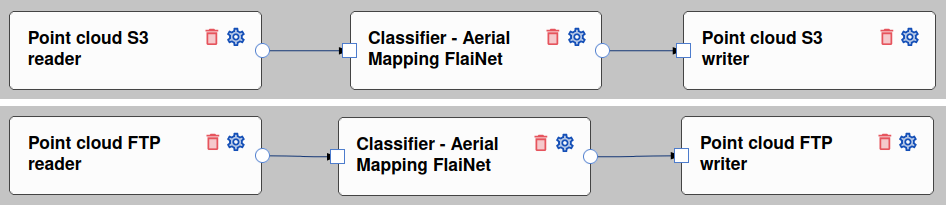
Crete a flow
(S)FTP/S3 credentials
Whether you choose the S3 reader or the FTP reader, you will need to input the correct credentials.
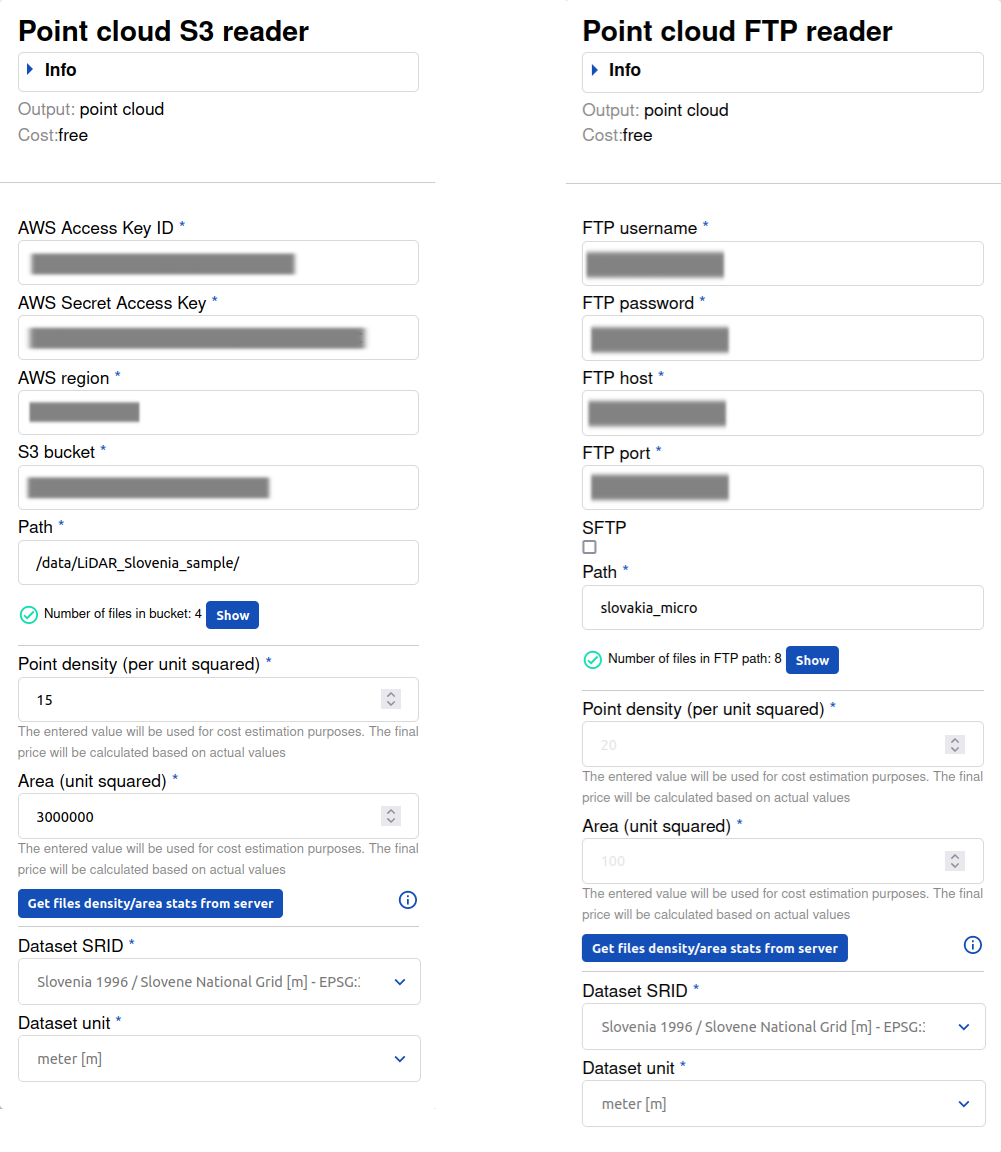
Set up credentials
If the path to your S3 bucket or FTP directory is set incorrectly, you will receive a notification message

Validation of credentials
If the path is set correctly, you can ensure that the right files are in the folders by simply pressing the 'Show' button.
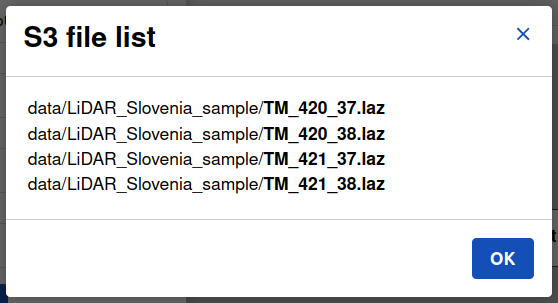
List of files
Estimate processing cost
In the second part of the S3/FTP reader, specifying the dataset's SRID/EPSG code automatically determines the unit of length for the point cloud. Selecting the wrong unit could make the classification results useless.
Point density and area are utilized to provide you with a processing cost estimate. The final processing cost is defined by the actual statistics, which are calculated during the processing.
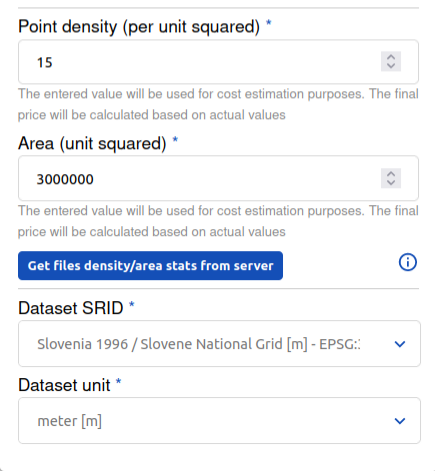
Data statistics & EPSG code
Location of data delivery
In the Point Cloud S3/FTP writer, you will also be required to enter your credentials and specify the output path to which data will be saved after the processing of all files is finished.
Partial or full visualization of your project
Since the data bypasses the Flai web application, the dataset is not automatically uploaded to your Flai account

Processing flow including the subset visualization
To review the classification, Flai enables visualization of sample data from your projects. Select the 'Create point cloud files subset' flow node, connect, and choose the percentage of the dataset you would like to visualize.
If you wish to visualize the entire dataset, simply connect the 'Point cloud writer' to your last processor.
Adding additional processing steps
Feel free to incorporate and link additional flow nodes, such as those for remapping vegetation into various height bins or running additional filters. Once you're satisfied with your flow, just hit the 'Save and Run' button. Upon completion of processing, you'll receive an email notification.
Experience streamlined point cloud processing with Flai's Batch Processing feature, directly accessing data from S3 storage or FTP. Simplify your workflow and maximize efficiency with Flai.
Unlock Batch processing on the Flai web application with Professional Bundle
If you do not have your own S3 bucket, reach out to us, and we can open one for you.